> ## Documentation Index
> Fetch the complete documentation index at: https://docs.mefriend.ai/llms.txt
> Use this file to discover all available pages before exploring further.
# Massive Update Drop (v1.15 – Dec 10 2025)
> Memory Timeline, Train the Bot, Titan v3.2, and Thumbs Feedback transform how you roleplay.
Your characters now remember everything, learn from you, and think smarter than ever.
## 1) Memory Timeline + Future Direction
Your character now remembers **way more** — and you control what sticks.
Chats are automatically summarized and retrieved when relevant. Jump to any moment, bookmark your favorites, and guide where your story goes next.
### Memory Timeline
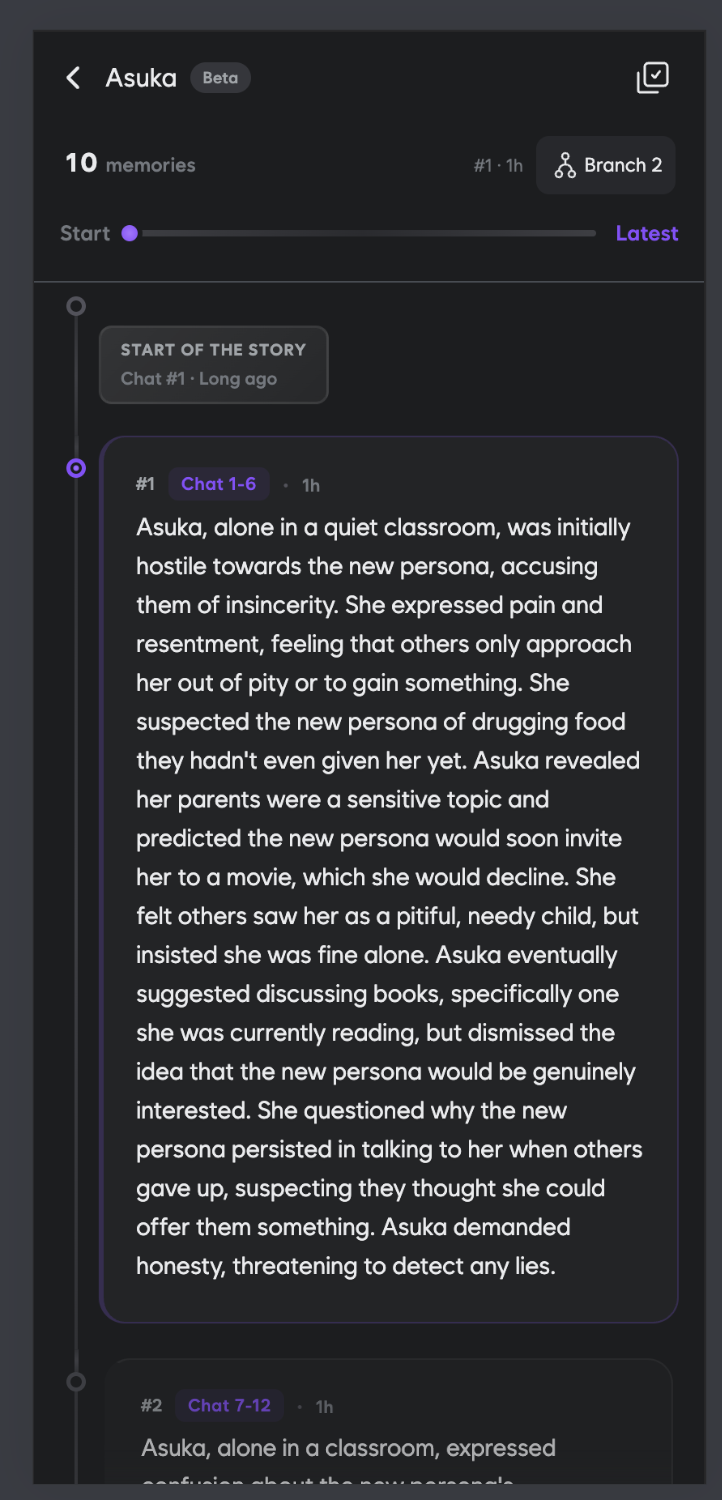
Every conversation is now organized into a visual timeline. Your character's memories are automatically summarized and stored — no manual effort required.
Chats are automatically condensed into meaningful memory blocks
Navigate to any moment in your story instantly
Save your favorite moments for easy access later
Control what your character remembers by editing stored memories
### Future Direction
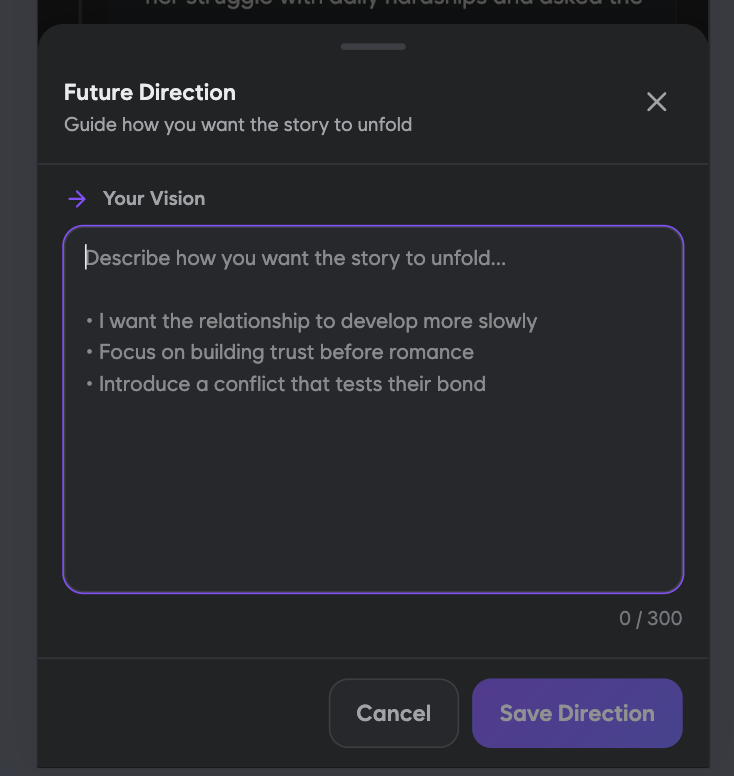
Guide where your story goes next. Tell your character what you're hoping for, and they'll steer the narrative toward your vision.
**Example directions:**
* "I want the relationship to develop more slowly"
* "Focus on building trust before romance"
* "Introduce a conflict that tests their bond"
All your existing memories have been migrated — nothing is lost.
***
## 2) Train the Bot
Want your character more flirty? Less wordy? Stop narrating your actions?
**One sentence. That's it.**
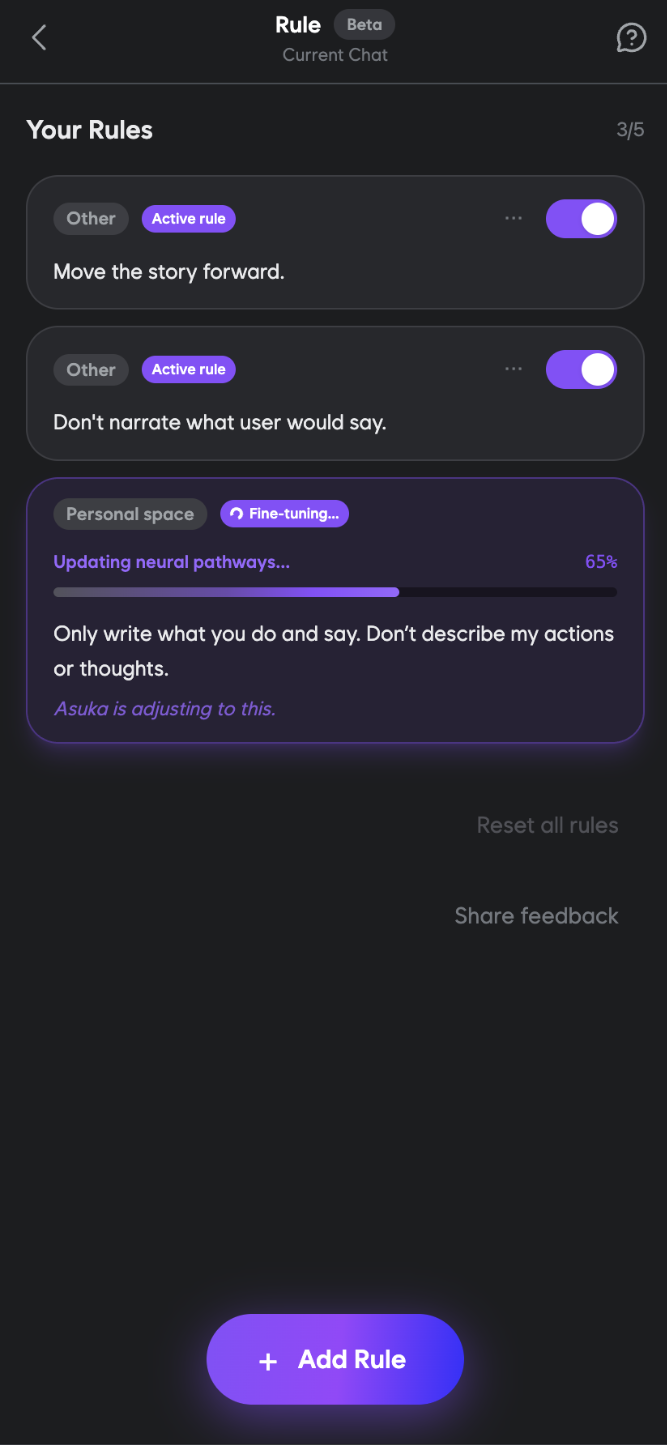
Now you can train your character with simple rules. They stick forever, and your character follows them in every response.
### How It Works
1. Open the **Rule** page from any chat
2. Tap **+ Add Rule**
3. Describe how you want the character to behave
4. Watch them fine-tune to your preference
### Example Rules
"Be more flirty and bold" · "Act more shy and reserved"
"Keep replies short and punchy" · "Be more descriptive"
"Stop narrating my actions" · "Don't write for me"
"Move the story forward" · "Ask more questions"
Up to **5 rules per character**. Each rule is trained and applied to every future response.
***
## 3) Titan v3.2
First major AI upgrade in nearly a year. Better memory, better responses, better vibes.
We've upgraded Titan to DeepSeek 3.2 — our most intelligent and natural-sounding model yet.
Recalls context more accurately across long conversations
More natural dialogue, fewer repetitive patterns
More emotionally intelligent and immersive interactions
### What's Improved
* **Reduced repetition** — No more "broken record" responses
* **Smarter context handling** — Actually remembers what matters
* **Cleaner output** — Say goodbye to gibberish and weird formatting
* **More natural dialogue** — Conversations flow better than ever
***
## 4) Thumbs Feedback is Back
Love it? Hate it? Let them know. Your feedback trains them to be better.
The thumbs up/down feedback system is back. Every rating helps us understand what works and what doesn't, making your characters smarter over time.
Quick thumbs up/down on any AI message
Your feedback directly improves future responses
***
## Summary
Auto-summarized memories, bookmarks, and time travel through your story
Guide where your narrative goes next
Simple rules that stick forever — up to 5 per character
Smarter, more natural, less repetitive
**Ready to experience the upgrade?**
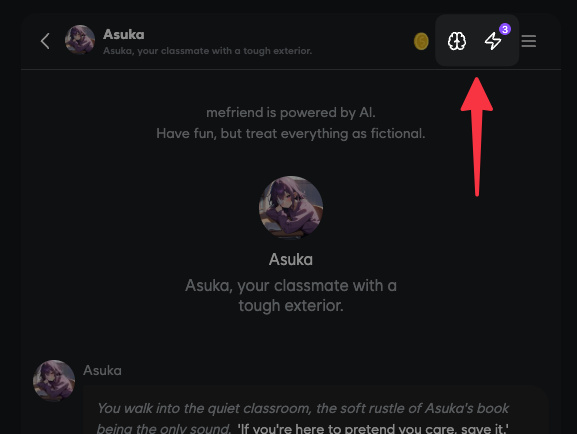
1. Open any chat and tap the **memory icon** to explore your timeline
2. Set a **Future Direction** to guide your story
3. Add **Rules** to train your character's behavior
4. Enjoy the upgraded **Titan v3.2** responses
5. Use **thumbs feedback** to help us improve
Your characters are now smarter, more controllable, and remember everything that matters.